
Screen Configuration
Propresenter screen configuration is based around 2 main parts, screens and themes. This page will mainly focus on screens.
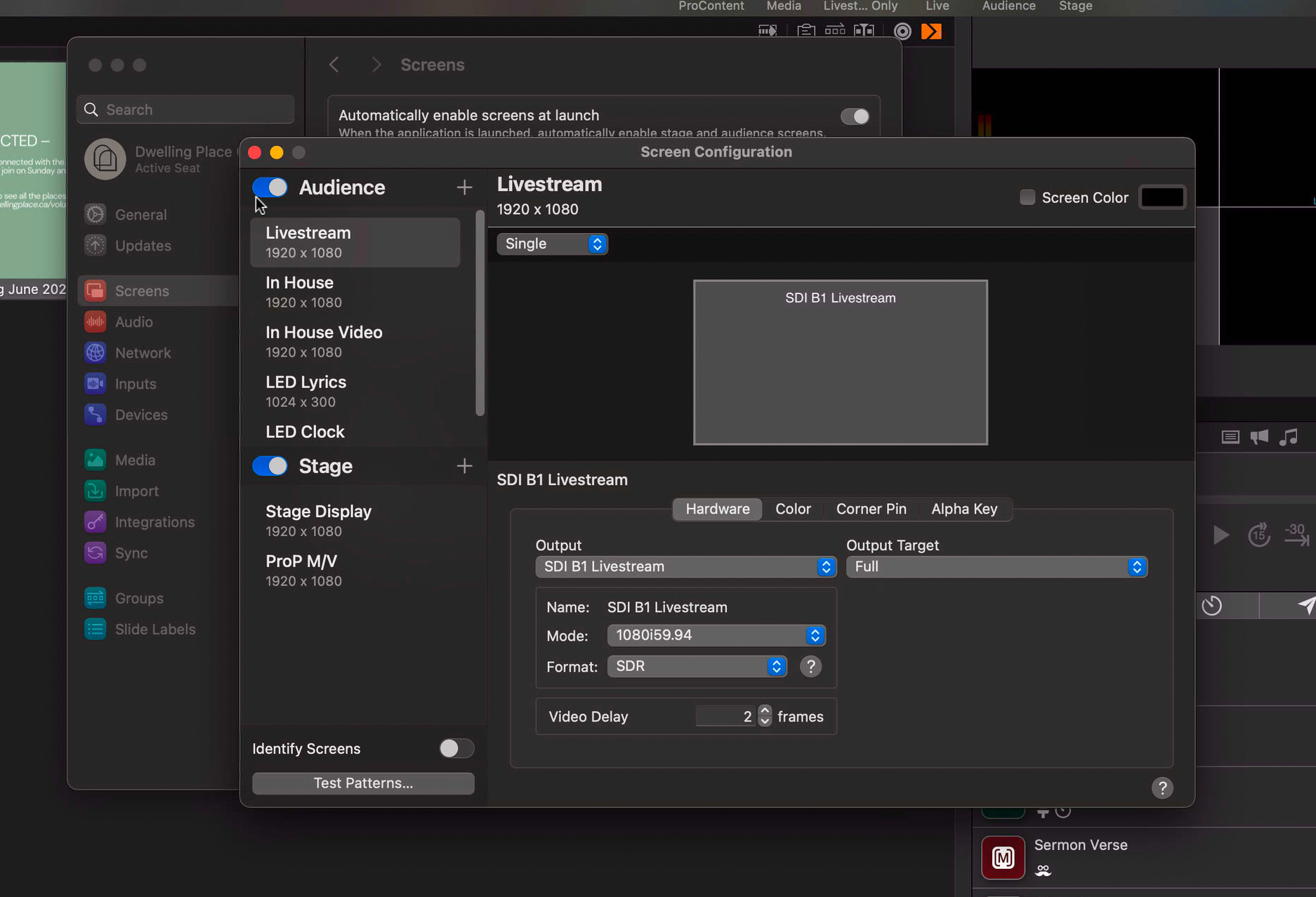
There are two kinds of screens in ProPresenter, Audience screens and Stage screens. Audience screens are pretty self explanatory, and Stage screens are the screens that are fed to the technical/stage crew. Let's start with Audience screens.
Audience Screens
Audience screens (do you think I've said it enough times?) are rendered at a higher priority than Stage screens. In theory, this means that their output will be smoother than others, but this doesn't always hold true in practice (computers are complicated apparently). If you look at the screen sizes underneath the screen names, you may notice a couple of weird ones. The lyrics are 1024x300 and the clock is 400x200. This goes to show that an output can be whatever the heck you want it to be.
I should probably explain what each of the outputs is. In order,
- Livestream is the graphics feed that goes to the livestream. This is a pair of outputs, as it also outputs an alpha layer (we'll get into that later)
- In House is a feed that goes to PVP. It handles putting images, sermon slides, and verses up on the screens. This is a virtual feed that embeds the alpha layer directly into the feed.
- In House Video is a physical feed that goes to PVP. Videos are harder to handle than basic slides, and the virtual feed struggles to keep up over the network when playing a video. We use a physical feed that does not have an alpha layer to play videos to get around this.
- LED Lyrics is the lyrics feed into PVP. It can be sent, cloned, and placed anywhere (this is how we put it in many places while also being able to put other slides up). This is also a virtual feed with alpha embedded, so that it doesn't disrupt the backgrounds.
- LED Clock is the start-of-service clock. It's a very small box with nothing but the countdown clock in it. Also a virtual feed with embedded alpha.
Stage Screens
Stage screens are the screens that go to the TV at the back of the sanctuary, and also to the broadcast room. They allow us to see what's coming up next, how much time is left in a video, or in the case of the ProP M/V, allow us to see all the other screens at once. We'll get into how those are actually configured in a minute, but yes it's possible to view other screens in a stage screen.