
Bitfocus: Creating PVP Macros
A forewarning: this page assumes you have some knowledge of bitfocus.
When you add a button to PVP, you'll need to add a button in bitfocus to trigger the PVP button. Otherwise you'd need to have the PVP computer screen in front of you to trigger it, which is not ideal. Creating buttons is pretty simple though.
- Step 1: Go to the bitfocus interface and log in (you must be on the church network): http://10.1.21.155:8000/buttons/1
- Step 3: Select an existing cue and copy it via ctrl/cmd + c)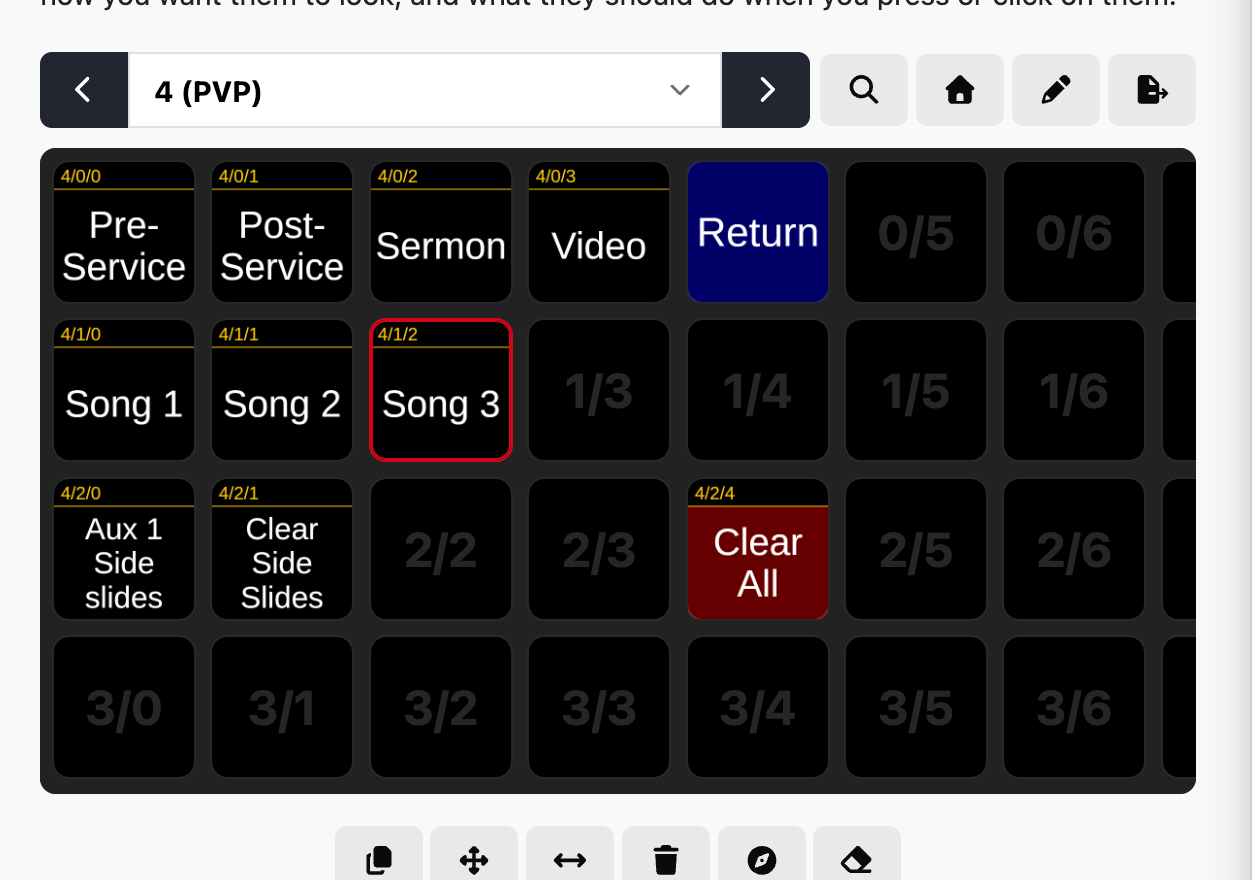
- Step 4: Paste it onto an empty slot (note that the current stream deck can only see the first 3 rows and 5 columns. Anything outside that is only accessible via the web ui).
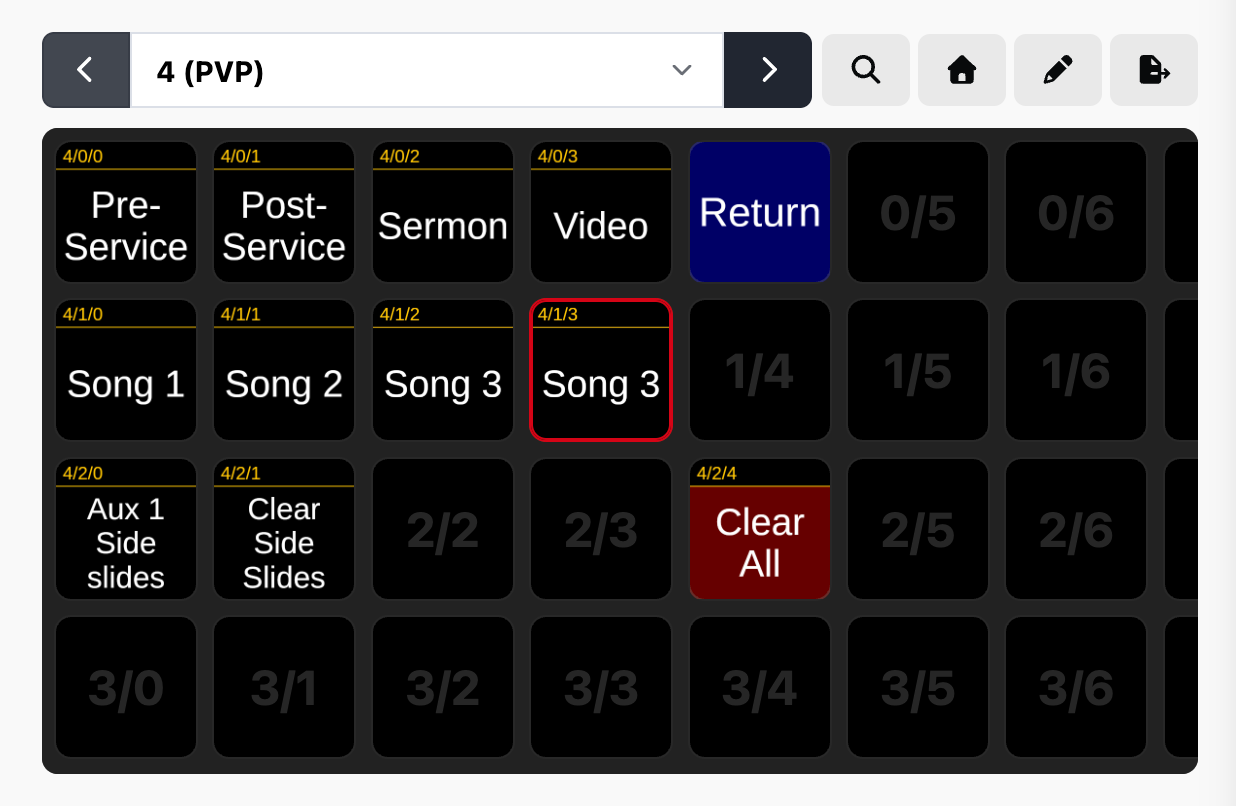
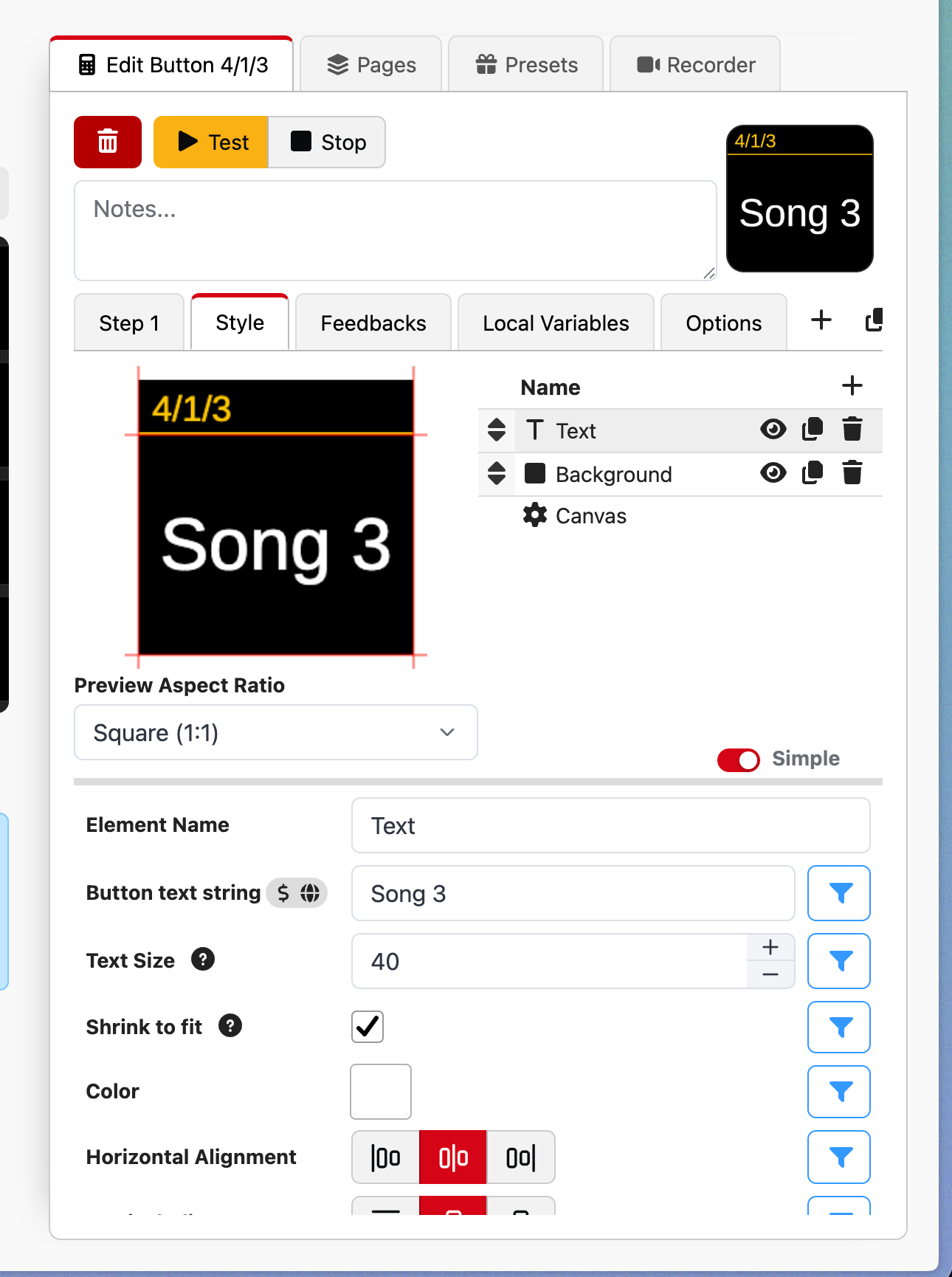
- Step 5: Go to the Style tab and edit the name of the cue
- Step 6: Go back to "Step 1" (NOT step 1 of this guide. I'm looking at you, Mr. literal).
Modify the "Trigger Cue in Playlist" action to the playlist/cue IDs you're looking for (0-indexed, 0 is the first playlist/cue).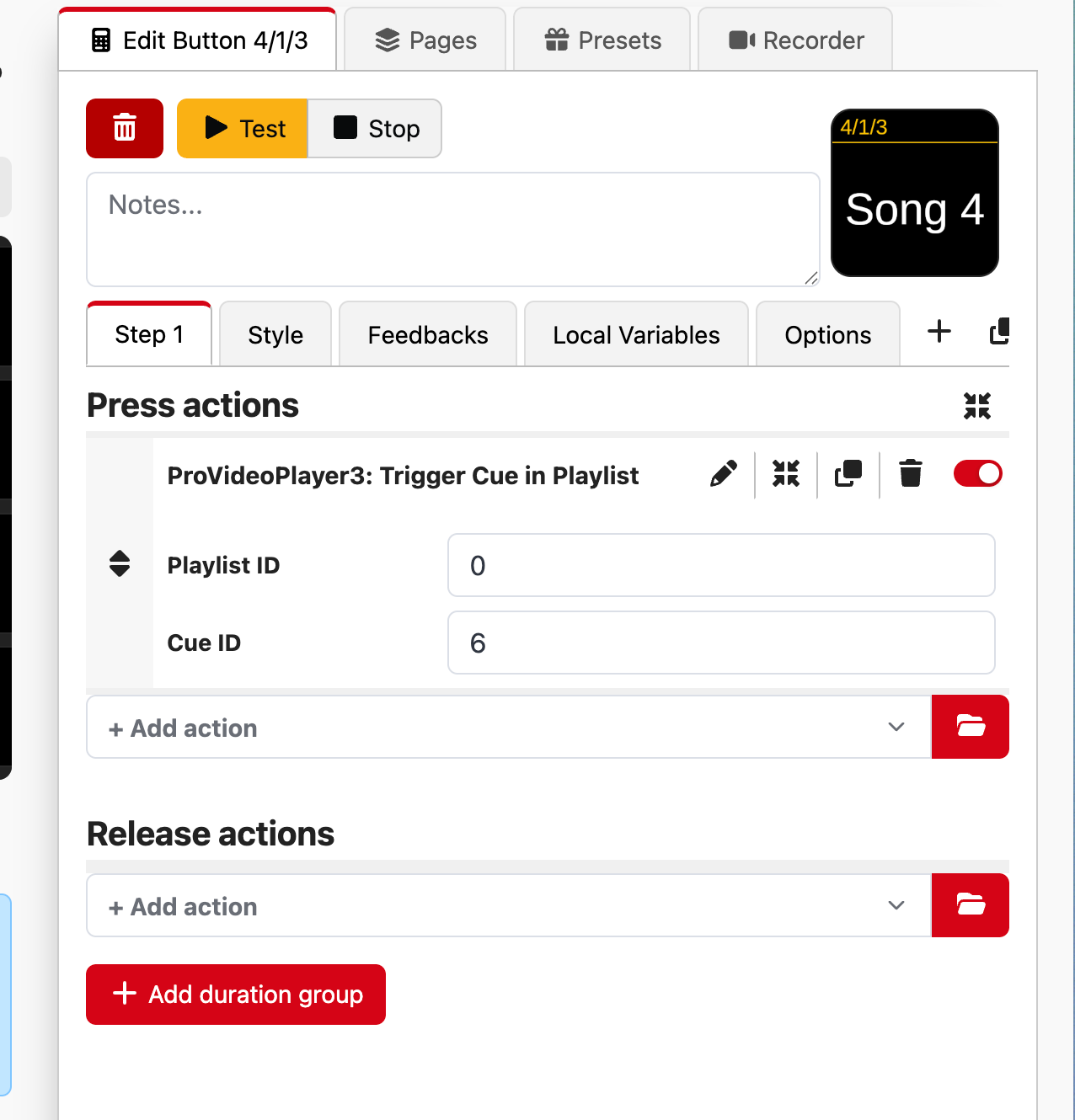
- Step 7: Test your button.
No comments to display
No comments to display